
Not sure what to make of a Makerspace? Don’t know your Scratch from your Raspberry Pi? Don’t sweat it!
Our jargon buster will get you up to speed with tech talk in no time – and don’t forget to share other tech lingo you know with us by commenting or tagging us!

Also known as a 'hackerspace' this is a space where all are welcome to share their interests and skills with others.
Many Makerspaces are community-run areas where tech lovers come together and teach each other new things and share what gadgets they have access to.
Scratch
A simple language created to teach the basics of programming with ease.
The Scratch website has plenty of projects that showcase how the language can be used for creating animations, games and more.
The Scratch website has plenty of projects that showcase how the language can be used for creating animations, games and more.

What would happen if you combined lego with computer science?
You would end up with the Kano computer!
A build – it – yourself computer kit with step-by-step instructions designed for all ages to be able to follow. The creation of the Kano computer was financed solely by crowd funding, and teaches users the basics of programming and coding.
A physical circuit board that comes with free software, Eduino is great for teaching users to programme a computer and learn basic electronics.
Arduino is popular because it’s cheap and easy to use, and it “can interact with buttons, LEDs, motors, speakers, GPS units, cameras, the internet, and even your smart-phone or your TV!” – Sparkfun.
Raspberry Pi
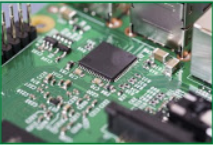
A tiny computer that is used to teach the basics of programming and computer science, similar to the chips used in the first kind of smart phones.
 Makeblock
Makeblock A robot-building kit that can be programmed, there’s several different versions out that have wheels and claws – and even one that flies!
A circuit board that uses simple alligator clips to connect everyday objects to your computer. Imagine using play-doh as buttons on a computer game or bananas as piano keys! See the video for more excellent examples.
A workstation designed to teach the basics of programming and text based coding. The projects included in the kit give practical lessons in computer programming and are intended for beginners of all ages.
A nickname for all fields of study that fall within the categories of: science, technology, engineering and maths.


A tiny computer that can be programmed and coded to do just about anything!
It has a motion sensor, two programmable buttons, 25 LED lights that can flash messages, and Bluetooth connectivity.
Invented and distributed by the BBC, the MicroBit website is packed with activities and lessons designed to teach fun and easy coding to school aged children.

This refers to the ability to design an object and physically print it out, much like printing a picture or word document – but in full 3D form. Guildford Library has it’s very own!
Comments
Post a Comment